Look before you paste
The right pane shows the whole clip, not a truncated guess.
- Click an image to open it at full size
- Drag it straight into another app
- Double-click or press return to paste it
Press ⌥V, search your clipboard, and paste the clip back into the app you were already in.
curl -fsSL https://shelf-clipboard-site.vercel.app/install.sh | bash
free · licensed · macOS 14 or later · nothing leaves your machine
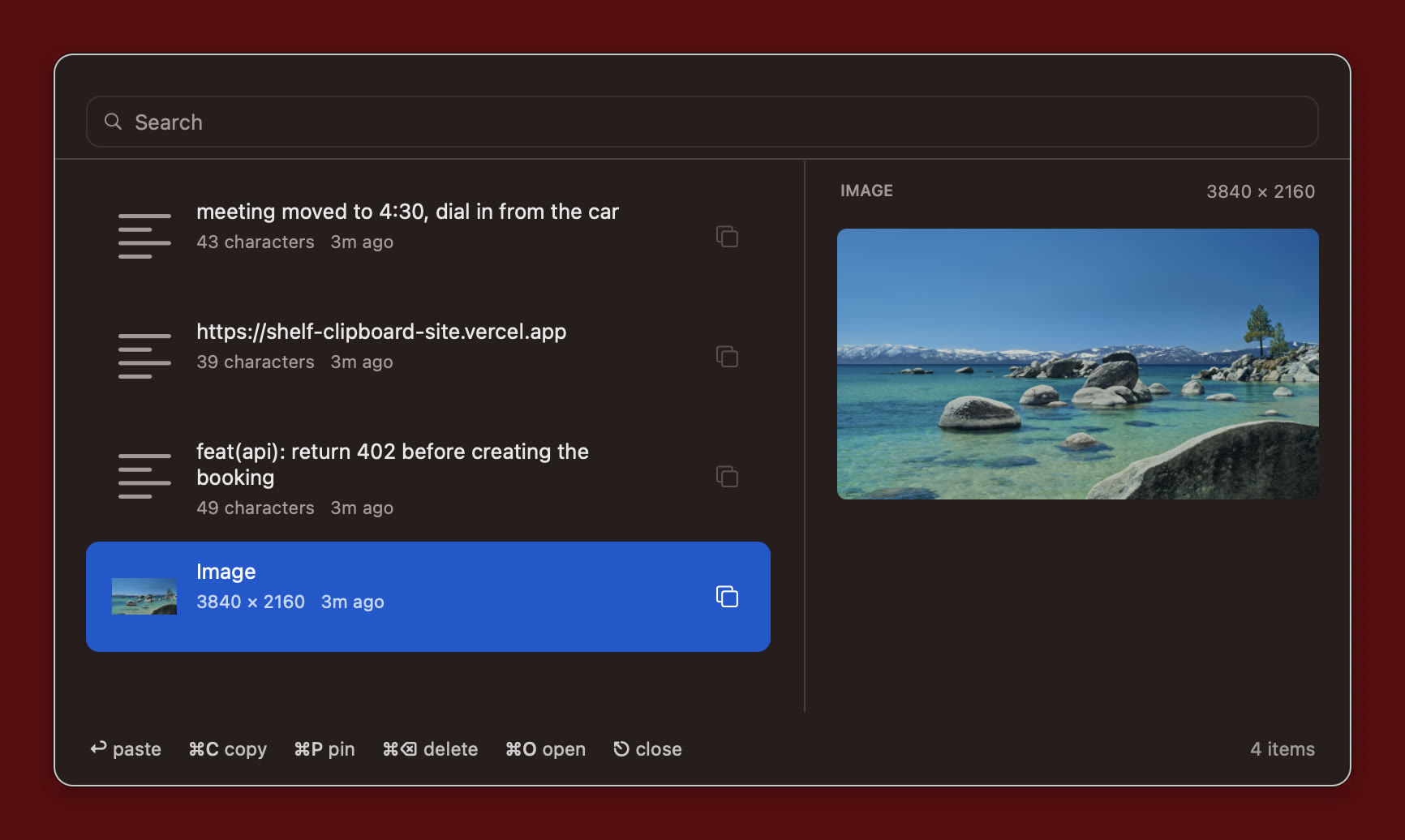
The right pane shows the whole clip, not a truncated guess.

Shelf remembers the window you came from. Pick a clip, press return, and it lands there.
No build tools, no licence key, no account. One command, one permission, done.
curl -fsSL https://shelf-clipboard-site.vercel.app/install.sh | bash
Then press ⌥V and allow Accessibility when macOS asks.
Downloads the latest release, puts it in Applications and clears the quarantine flag, so there is no “damaged app” dialog.
This is what lets Shelf send the paste back to the app you came from. System Settings → Privacy & Security → Accessibility.
⌥V opens the shelf, type to search, ↩ pastes.
No trial, no licence key, no account. Download it, build it, change it. MIT licensed, one Swift file.
$0 forever
on every machine you own